Getting Started in Walls
Learn the HUD, survive the first half hour, and leave spawn with a real plan for Hook Inc’s shared world.
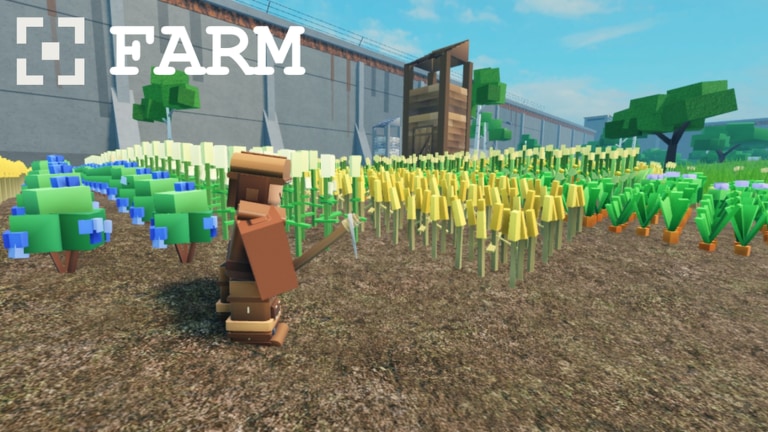
This Getting Started guide is the onboarding path for Walls on Roblox — Hook Inc’s medieval fantasy faction survival game where all players share one world. You will learn what the HUD is telling you, what to do in the first 30 minutes, and which wiki pages to open next so you are not improvising while Hunger ticks down.
Walls released on 16 October 2026. It supports up to 50 players, features stone fortress walls, day/night, weather, crafting, a Shop, and faction play. The Construct’s marketing line about a “productive season” is not flavor alone: the game expects you to gather, upgrade, and explore. Start productive, not panicked.
Before you press Play
- Open the official experience from the Links Hub so the place id matches
124550432477389. - Prefer a stable connection; shared-world fights feel worse with rubberbanding on wall edges.
- Decide whether you are solo learning or joining friends — faction life is easier with voice or clean text callouts (Players Hub).
- Skim the Tier List Hub once so you know Hunger, Stamina, and faction join sit at the top of the priority stack.
Minute 0–5: HUD literacy
After load, identify these confirmed systems from official screenshots:
| HUD / menu | Why it matters in the first minutes |
|---|---|
| Health | Your death timer in fights and falls |
| Stamina | Sprinting, swinging, drawing bows, climbing approaches |
| Hunger | Exploration length and soft pressure between safe zones |
| Inventory | Carrying wood and tools without overflowing blindly |
| Crafting | Turning raw resources into useful gear |
| Shop | Spending currency on gaps crafting cannot fill yet |
| Faction | Joining or managing the group that holds territory |
| Settings | Rebinds, comfort options, audio |
Do not leave the inner safe feeling of the walls until you can find each of those without hunting. Open Settings and confirm movement, sprint, and interact keys. A wrong interact bind makes gathering feel “broken” when it is not.
Glance at Hunger immediately. If it is already mid-low, your first job is food-related stabilization, not sightseeing. Details for drain and weather live in Survival.
Minute 5–15: tiny productive loop
Your goal is a closed loop, not a hero moment:
- Gather a modest pile of wood and any other early nodes near safer approaches.
- Open Crafting and produce the simplest tools or repair items available instead of hoarding raw mats.
- Check Shop prices once so you know what a “panic buy” costs — then buy only if a gap is truly blocking progress.
- Recheck Hunger and Stamina. Eat or rest before you roleplay a long-range scout.
- Die once on purpose in a low-stakes way if you must learn recovery flow — better now than during a wall defense.
If Crafting recipes feel opaque, slow down and read each cost. The economy sense you build here pays off in Crafting & Shop.
Minute 15–30: social and combat seeds
Walls is not a private cozy farm forever. Within the first half hour:
- Open Faction and either join a welcoming group or note what you need to found one later (Factions).
- Equip a ranged starter if available (bows are highlighted in official combat presentation) and take practice shots from a parapet.
- Keep a melee backup mindset — spears and close weapons matter when enemies crest the wall (Combat).
- Walk the inner wall line once without sprinting to learn sightlines and fall risks.
- Introduce yourself in chat with a short useful line (“learning walls, can gather”) instead of silence or spam.
If the server is hot and every approach is contested, shrink your loop. Productivity beats pride.
First-session goals checklist
Mark these done before you call the session a success:
- Can name what Health, Stamina, and Hunger are doing without thinking
- Completed at least one gather → craft cycle
- Looked at Shop without impulse-spending everything
- Joined a faction or scheduled founding with friends
- Fired a bow or practiced a melee swing from a safe wall spot
- Survived a day/night transition without panic sprinting into the dark
- Bookmarked Updates so tomorrow’s patch does not surprise you
What not to do on day one
- Ignore Hunger because combat “looks more important”
- Dump all currency into cosmetics
- Follow a stranger to a remote farm while your Stamina is empty
- Install random executors because the Scripts Hub is empty of verified tools — empty means unverified, not “go pirate something”
- Spam unverified promo strings; Codes currently lists none confirmed
- Start a faction war before you can feed yourself
How the shared world changes beginner advice
In a 50-player instance, “safe” is relative. A quiet corner can become a highway ten minutes later. Beginner advice that assumes a private server will mislead you:
- Always leave a retreat path toward faction-held space
- Assume bows cover long approaches even if you cannot see the archer yet
- Share resource intel with faction mates instead of gatekeeping every wood node
- Expect latency spikes during mass fights on the Walls; do not take max-range spear duels if your ping teleports you
Learning path after this guide
- Harden bars and travel rules — Survival
- Fund better kits — Crafting & Shop
- Stop playing alone — Factions
- Hold or take wall space — Combat
- Recalibrate priorities — Tier List
- Refresh controls etiquette — Players
Mental model to keep
Think of Walls as three games stacked:
- A survival meter game (Hunger, Stamina, Health)
- An economy game (Inventory, Crafting, Shop, upgrades)
- A territorial faction game (walls, approaches, group power)
Your first 30 minutes should touch all three lightly. Mastery comes from rotating them, not from obsessing over a single flashy duel. When The Construct wishes you a productive season, this is what productive looks like: deliberate loops, readable HUD, and a faction that knows your name.
Quick reference: where official truth lives
If chat argues about features, settle it with the live client plus Official Links. This Getting Started page will evolve when onboarding UI changes — watch Updates after patches that mention HUD, Shop, or faction tooling.
You do not need to be perfect after one session. You need to be harder to kill, harder to bankrupt, and harder to isolate. Finish the checklist, then go make the Walls remember your faction.
Frequently Asked Questions
Quick answers to the most common Walls questions.
What should I do first in Walls?
Learn the Health, Stamina, and Hunger bars, confirm Settings binds, then run a small gather-and-craft loop before long exploration.
When should I join a faction?
Inside the first session if possible. The shared 50-player world punishes permanent solo play once groups organize around the Walls.
Is the Shop required for beginners?
Understanding Shop prices is required; panic buying is not. Craft first, then spend on true gaps.
Which guide do I read after Getting Started?
Survival next for bar management, then Crafting & Shop, then Factions and Combat.
Are there beginner codes to claim?
No promo codes were verified as of November 2026. Check the Codes Hub later instead of trusting random social lists.